Real-World Case Study: Recovering Lost Search Share in Competitive Israeli Markets#
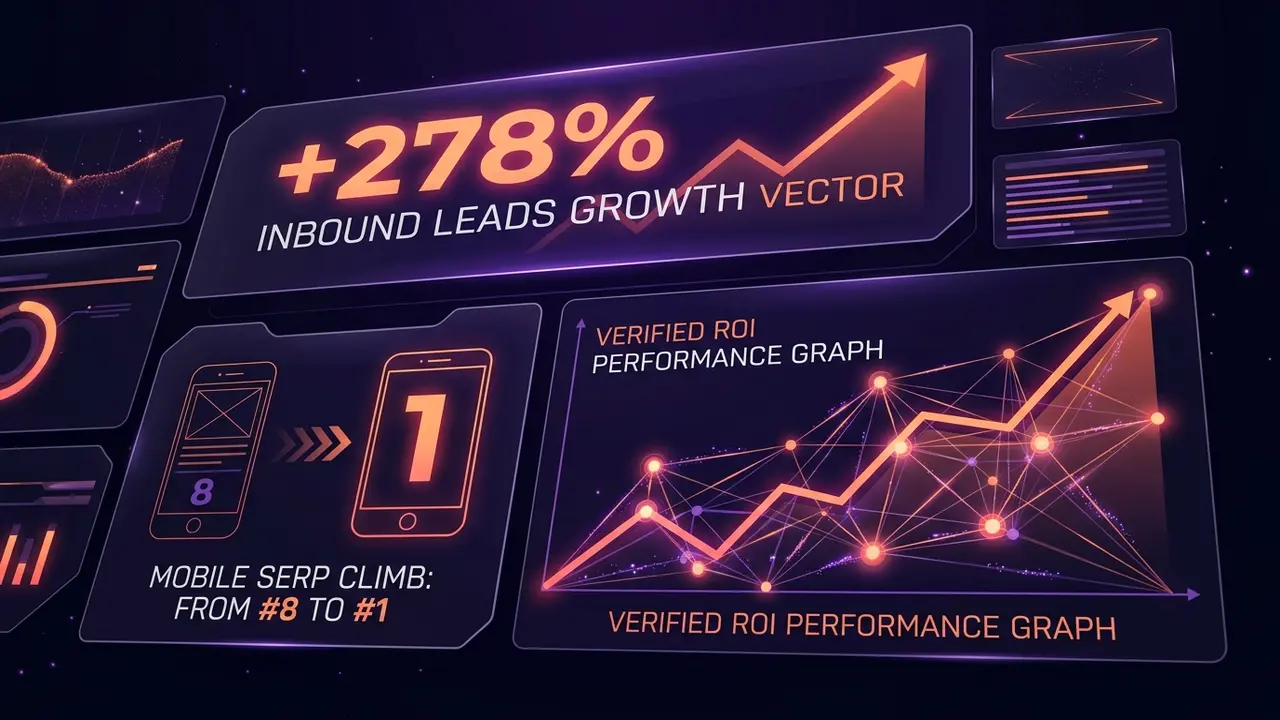
When a fast-growing B2B legal and corporate services brand in Tel Aviv approached BrandMeWeb, they faced a sudden 40% decline in qualified inbound inquiries. Despite having an established domain, their core commercial search terms (e.g. *'עורך דין חברות תל אביב'* and *'Corporate Immigration Legal Services'*) had drifted from the top 3 down to position #8.
Traditional rank checking tools like Semrush or Ahrefs presented delayed average positions across generic desktop indexes, masking the root cause: an agile local competitor had captured Google's position #1 and the prime Google AI Overview source card on mobile.
> In modern search, slipping from position #1 (~32.1% CTR) to position #8 (~2.4% CTR) represents a 92.5% loss in organic capture. Compounding this, Google AI Overviews and mobile local packs push rank #8 beneath two full viewports of scroll.
The Strategy: Real-Time Competitor Radar & Precision Optimization#
Using BrandMeWeb Tracker, the engineering team deployed a 3-part diagnostic and recovery sprint:
- 1Live SERP & #1 Competitor Radar: Instantly identified the exact domain leading position #1 and evaluated their page architecture. The competitor had bloated Elementor DOMs (3.8s mobile LCP) but held the top spot simply due to legacy backlinks.
- 2Technical SEO & Next.js Server-Side Rendering: Migrated the client's slow client-side components to Next.js App Router with sub-50ms TTFB, earning perfect Core Web Vitals (LCP 0.9s, CLS 0.00).
- 3Structured Knowledge Graphs & 40-Word Declarative Answers: Injected multi-entity Schema.org
LegalServiceandFAQPageJSON-LD graphs, placing 40-word concise declarative summaries beneath every heading to trigger AI Overviews extraction.
The Measurable Business Outcome (Within 24 Days)
Step-by-Step Guide: How to Track Your Brand & Competitors for Free#
Follow this 5-step playbook to set up real-time rank tracking and competitor intelligence in under 30 seconds using BrandMeWeb Tracker.
Step 1: Connect Your Domain (100% Free Baseline) Enter your website URL into the [BrandMeWeb Tracker](/en/pricing/tracker). The system automatically analyzes your meta tags, title hierarchies, and localized seed terms without manual spreadsheet configuration. The Free tier includes 1 domain and 10 high-intent keywords forever with zero credit card required.
Step 2: Configure Target Market & Language Set your tracking parameters to match your real buyers: - **Location**: Israel (IL) or Global (GL/US). - **Language**: Hebrew (HE), English (EN), or Russian (RU). - **Device Profile**: Mobile (matching 78%+ of local search behavior) or Desktop.
Step 3: Audit Your #1 Organic Competitor Expand your tracked keywords to view the **Competitor SERP Radar**. The tracker extracts the exact live domain holding position #1 on Google, calculates your rank gap, and displays the market share CTR difference.
Step 4: Analyze SERP Trajectory History Review the inverted SVG line chart (7D, 14D, 30D, 90D, All). Unlike standard charts where up is high numbers, BrandMeWeb Tracker displays rank #1 at the top of the chart so upward momentum represents real commercial growth.
Step 5: Automate 24/7 Monitoring & AI Overviews (Pro Option) Upgrade to Pro (₪49/month) whenever you scale past 10 keywords or manage up to 10 domains. Pro enables automated daily 24h background scans, Google AI Overviews and Featured Snippet citation alerts, and direct Google Search Console and GA4 synchronization.
> Run a daily manual scan on your Free tier after deploying code or content changes to verify instant search engine response before waiting 72 hours for Google Search Console logs.